7 home theater mistakes that make expensive gear look or sound mediocre
Expensive home theater gear can still look and sound disappointing when the room, placement, settings, acoustics, and source quality are wrong. The biggest upgrades often come from setup discipline, not another premium component.
TL;DR: Fix speaker placement, viewing distance, room reflections, picture mode, cable organization, subwoofer setup, and source settings before buying more gear. A modest system properly installed can outperform a costly system placed casually.
Mistake 1: Buying the Screen Before Planning the Room
A giant screen is exciting until it overwhelms the room or forces awkward seating. Screen size should be chosen with viewing distance, room shape, eye level, light control, and use case in mind. A bright living room, narrow bedroom, and dedicated dark theater have different needs.
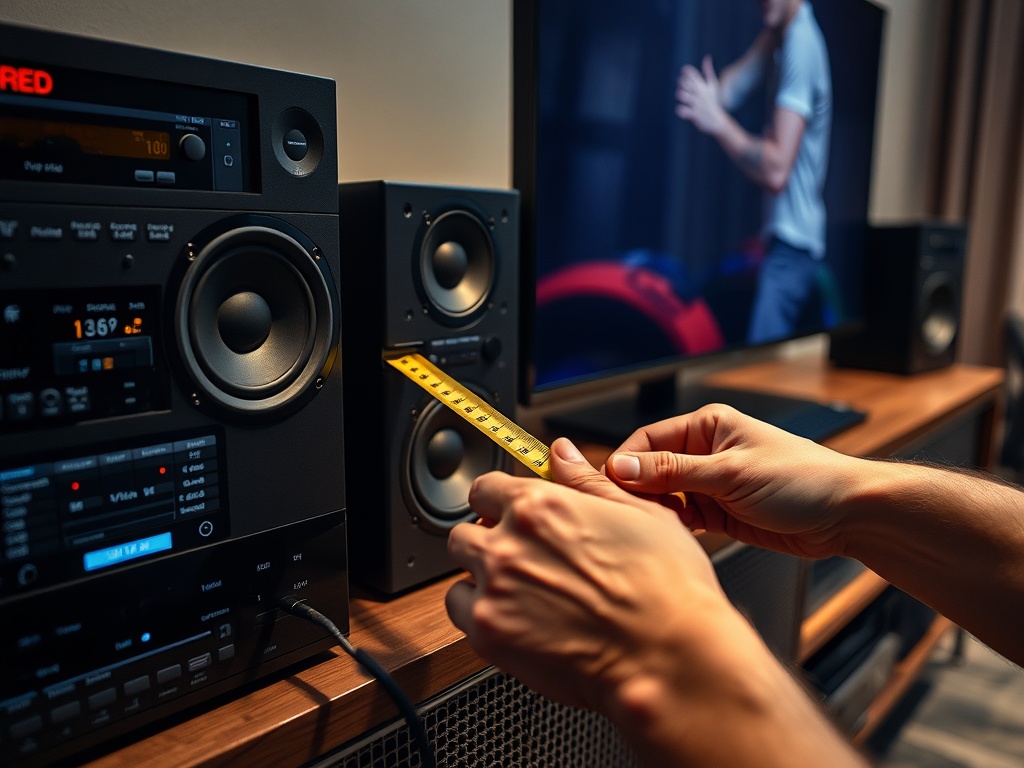
Use a tape measure before shopping. Mark the screen width on the wall. Sit where viewers will actually sit. Check whether heads tilt upward, whether side seats are too angled, and whether reflections hit the screen. A projector also needs throw distance, lens shift, ventilation, and a surface that fits the room.
This setup mindset overlaps with how to organize streaming devices, remotes, and inputs so anyone can use them because a home theater should work for real people, not only the person who installed it.
Mistake 2: Leaving the TV in Showroom Mode
Many TVs ship or get displayed in vivid modes that look bright under store lights but inaccurate at home. Oversharpening, motion smoothing, extreme contrast, and exaggerated color can make films look artificial. Start with Cinema, Movie, Filmmaker, ISF, or a similarly accurate mode, then adjust brightness for the room.
Do not copy random settings from a different model unless you understand what they change. Basic calibration patterns can help set brightness, contrast, and sharpness. For serious systems, professional calibration may be worth it, especially with projectors or high-end displays.
Mistake 3: Placing Speakers Where They Fit Instead of Where They Work
Speaker placement shapes sound more than many people expect. Front left and right speakers should create a coherent stage. The center channel should anchor dialogue. Surrounds should support immersion rather than blast from random corners. Height speakers need correct placement if the system supports immersive formats.
Dolby provides speaker setup guides for different Atmos layouts, while THX offers home theater setup guidance on speakers and subwoofers. These guides matter because surround sound is a geometry problem as much as a gear problem.
If furniture blocks the center channel or surrounds sit behind a sofa cushion, even excellent speakers can sound muffled. Place tweeters near ear level when possible, angle speakers intentionally, and run room correction only after physical placement is reasonable.
Mistake 4: Treating the Subwoofer Like a Random Box
Bass is strongly affected by the room. A subwoofer shoved wherever it is least visible may create boomy spots, dead zones, or one-note rumble. The popular “subwoofer crawl” is useful: place the sub temporarily at the main seat, play bass-heavy content, walk around the room, and listen for smooth bass locations. Then place the sub near one of those locations.
Multiple subwoofers can even out bass, but only when set up carefully. Volume, crossover, phase, and room correction all matter. Do not turn the sub up simply because dialogue feels weak. That may be a center-channel or room-acoustics issue, not a bass issue.
Mistake 5: Ignoring Room Acoustics and Light
Hard floors, bare walls, glass, and empty rooms create reflections that smear sound. Bright windows and glossy walls reduce picture contrast. Before upgrading equipment, add rugs, curtains, bookshelves, fabric seating, light control, and thoughtful layout. Dedicated acoustic panels can help, but normal furnishings already make a difference.
CEDIA’s home theater FAQs highlight design, technology, budgeting, calibration, and installation expertise, including room acoustics and proper setup. That is why installers often ask about the room before recommending gear.
Readers with family gaming systems should also check How to Set Up Parental Controls Across Consoles, PC, and Mobile Games, since a shared entertainment room often needs both technical setup and safety settings.
Mistake 6: Using Weak Sources and Bad Settings
A premium display cannot create detail that the source does not provide. Low-bitrate streams, incorrect app settings, old HDMI cables, disabled HDR, wrong audio output, stereo-only device settings, or compressed wireless playback can limit performance.
Check each source device. Is the streaming plan high enough for 4K or HDR where available? Is the HDMI port set to enhanced mode? Is the console outputting the correct resolution and refresh rate? Is the receiver receiving Dolby Digital, DTS, Atmos, or PCM as intended? Are subtitles, dynamic range, and audio-delay settings comfortable?
| Problem | Likely cause | First fix |
|---|---|---|
| Dialogue hard to hear | Center placement, mix mode, room reflections | Reposition center, check audio mode, reduce reflections |
| Picture looks too blue or fake | Vivid mode or oversharpening | Use Cinema/Movie/Filmmaker mode |
| Bass is boomy | Poor sub location or high volume | Move sub, recalibrate, adjust crossover |
| Surrounds feel distracting | Wrong levels or placement | Reposition and rerun room correction |
| HDR looks dull | Device or HDMI setting mismatch | Check app, cable, HDMI input, display settings |
Mistake 7: Making the System Too Complicated to Use
A home theater that only one person can operate is fragile. Label inputs clearly. Simplify remotes. Use an AVR input naming system that matches actual devices. Keep a short instruction note for guests or family members. Hide cable clutter without blocking ventilation.
The best system invites use. If people avoid it because switching inputs is confusing, the setup has failed even if the gear is technically impressive.
A Better Upgrade Order
Before buying anything new, do this: measure the room, set the display to a better picture mode, place speakers by guideline, adjust the subwoofer, add soft room materials, verify source settings, and simplify controls. Then decide what still feels weak.
The next purchase should solve a diagnosed problem. Do not buy a new receiver to fix bad speaker placement. Do not buy a brighter projector if the room needs curtains. Do not buy larger speakers if the center channel is blocked by furniture.
A home theater becomes impressive when the room, settings, and system work together. Start there, and every piece of gear has a better chance to perform.