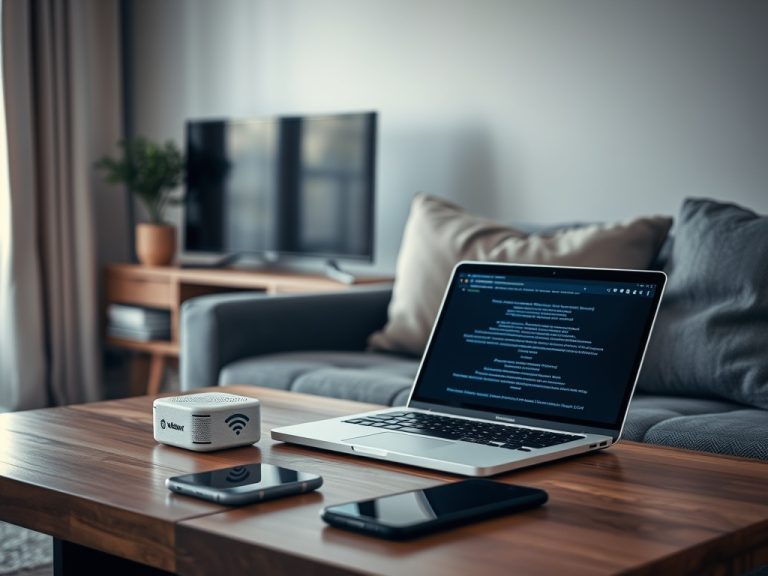
Remote Work Explained: Build sustainable remote work routines online
Remote work is work done away from a central office while using digital tools for communication, collaboration, security, and delivery. Sustainable routines depend on clear expectations, reliable connectivity, secure devices, focused communication, and boundaries that protect attention.
Remote Routine Snapshot
TL;DR: Remote work is not just working from home. It is a system of tasks, meetings, files, devices, networks, and habits that must stay reliable without constant in-person correction.
- Define communication rules before problems appear.
- Protect devices, accounts, and home networks.
- Build a daily rhythm for focus, availability, and recovery.
- Measure outcomes, not keyboard activity.
What Remote Work Changes
Remote work changes how people coordinate. In an office, questions, status, and context often move informally. Online, that information needs clearer channels: chat for quick issues, documents for durable context, meetings for decisions, and task tools for ownership.
This is why routine matters. Without a routine, remote work can become an endless blend of notifications, meetings, and unfinished tasks. With a routine, people know when to respond, where to record decisions, and how to protect focus.
The Basic Technology Stack
A remote setup usually includes a computer, secure internet connection, collaboration apps, calendar, video meetings, file storage, password manager, and task system. Some roles also need VPN, remote desktop, developer tools, design tools, or customer systems.
NIST's telework and remote access guidance focuses on securing telework technologies, remote access, and bring-your-own-device risks. That is a verified security perspective. The practical interpretation for everyday users is that remote routines should include both productivity and protection.
Build a Communication Rhythm
Define when to use chat, email, meetings, calls, and documents. Chat is good for quick coordination but poor for long-term decisions. Meetings are useful for alignment but expensive if they replace clear writing. Documents preserve context but need ownership.
A simple rhythm might include a morning planning block, two focused work periods, one communication window, and an end-of-day update. Teams can adapt this pattern to time zones and customer needs. The key is consistency.
Protect Focus From Tool Sprawl
Remote workers often add tools to solve every small pain. Soon, work is spread across chat, email, task apps, docs, whiteboards, calendars, and private notes. Tool sprawl creates search friction and missed commitments.
Choose clear homes for information. Tasks belong in the task app. Decisions belong in a document or project record. Quick questions belong in chat. Deadlines belong in the calendar or task system. The guide on choosing a task app can help reduce this sprawl.
Secure the Home Work Environment
Security is part of sustainability. Use updated software, strong passwords, multifactor authentication, encrypted devices, and cautious download habits. Keep work accounts separate from personal browsing when possible. Avoid shared computers for sensitive work unless the organization approves.

CISA's Telework Essentials Toolkit emphasizes expectations, security requirements, and risks that appear when organizational assets move outside the traditional perimeter. For households with weak Wi-Fi, mesh system basics may help improve stable access before remote work routines fall apart.
Create Boundaries That Are Visible
Remote boundaries should be visible to others. Block focus time on the calendar. Set status messages when unavailable. Use meeting agendas. Define response expectations. Turn off nonessential notifications during deep work.
Boundaries also apply physically. A full private office is not always possible, but a repeatable work spot, headset, lighting, and end-of-day shutdown cue can separate work from the rest of life.
Measure Outcomes Instead of Activity
Remote work becomes unhealthy when teams overmeasure activity: messages sent, green status lights, or hours online. Better signals include completed deliverables, response quality, customer outcomes, cycle time, and fewer repeated questions.
This connects directly to vanity metrics versus useful metrics. Activity can provide context, but it should not replace meaningful progress. Managers and individuals both need metrics that guide better work.
| Routine area | Healthy habit | Warning sign |
|---|---|---|
| Communication | Clear channel rules | Decisions lost in chat |
| Focus | Protected work blocks | Constant notification switching |
| Security | Updated devices and MFA | Shared passwords or ignored patches |
| Connectivity | Tested router and backup plan | Calls drop in the same room daily |
| Task ownership | Visible assignments | Work tracked only in memory |
| Well-being | Start and shutdown cues | Work expands into every hour |
Common Beginner Mistakes
The first mistake is treating remote work as office work through a webcam. The second is trying to solve unclear expectations with more meetings. The third is letting every tool send alerts all day. The fourth is ignoring device and network security because the work is happening at home.
Fix one layer at a time. Start with communication rules. Then clean up tasks. Then secure devices and accounts. Then improve meetings. Then refine metrics.
Keep the Routine Light Enough to Repeat
A sustainable remote routine is simple enough to follow on a busy day. It should clarify what matters, reduce avoidable interruptions, protect work systems, and leave a record of decisions.
Start with one week. Choose your communication rules, task home, focus blocks, backup plan, and shutdown cue. Review what failed on Friday, adjust the routine, and repeat with less friction the next week.
Plan for Connectivity and Backup Workflows
Remote routines should include a backup plan for connection failures. Know which tasks can continue offline, which meetings can move to phone audio, and where files are available if a cloud service is temporarily unreachable. Keep critical documents synced before travel or severe weather.
For teams, write a lightweight outage rule. For example, if a video call fails twice, switch to phone or async notes. If a home connection drops, update the task owner or manager through the fastest available approved channel. These rules prevent every technical issue from becoming a separate negotiation.
Make Meetings Earn Their Place
Remote meetings should have a purpose, owner, and expected output. If the goal is information sharing, an async update may be better. If the goal is a decision, send context beforehand and record the decision afterward. If the goal is relationship-building, keep the format intentional rather than pretending it is status work.
Meeting hygiene protects deep work. It also reduces the temptation to monitor people through constant check-ins.
Keep one written home base for the routine so new habits are visible.
Review it weekly until the pattern feels natural and low-friction.