
How to Solve Common Problems with Hybrid Meeting Logistics
Hybrid meeting logistics improve when organizers design for two connected audiences instead of treating remote attendees as an add-on to an in-room event. The most reliable approach is to define ownership, test the full signal path, provide redundancy for critical systems, and rehearse how people will interact across both environments.
TL;DR
- Assign named owners for room AV, virtual platform operations, speaker support, and escalation.
- Test microphones, cameras, screen sharing, internet capacity, captions, and remote-speaker connections in the actual venue.
- Design participation so remote attendees can ask questions and receive information without depending on what is visible only in the room.
- Build a fallback for internet, audio, presentation playback, and speaker connection failures.
Why hybrid meetings fail even when the technology works
Many hybrid problems are coordination problems disguised as technical problems. A hotel may provide excellent room equipment, while the organizer assumes someone else is monitoring the virtual chat. A remote presenter may have a good connection, but the room cannot hear them clearly because audio routing was never tested end to end.
AVIXA's guidance on hybrid event production emphasizes preparation, technology checks, platform training, rehearsals, support, and balanced engagement for in-person and remote participants. Those principles are useful because they focus on the operating workflow, not just a list of devices.
Problem 1: unclear ownership at the venue
Hotels, event agencies, platform vendors, and corporate teams may each control part of the experience. When roles are vague, small faults bounce between teams while attendees wait.
Practical fix: create a one-page responsibility map
List the person responsible for room microphones, camera switching, presentation playback, remote platform controls, attendee support, captions, recording, and final escalation. Add a backup contact for each critical role. The document can be simple, but it should state who has authority to make a decision when something fails.
For complex programs, a technical producer or show caller can coordinate cues across the physical and virtual environments. For smaller meetings, one experienced operator may cover several tasks, but the duties should still be explicit.
Problem 2: the room sounds good locally but fails online
In-room participants hear natural speech directly, while remote attendees hear only what reaches the conference platform. A microphone that is not routed to the stream, a video with no embedded audio, or audience questions spoken away from a microphone can create a poor remote experience even when the room feels normal.
Practical fix: test from a remote listener's perspective
During rehearsal, place someone off-site or on a separate connection and ask them to judge every audio source: host, lectern, panel, audience question, video playback, and remote speaker. Then reverse the test so the room hears remote participants. If possible, record a short test segment and review it rather than relying only on live impressions.
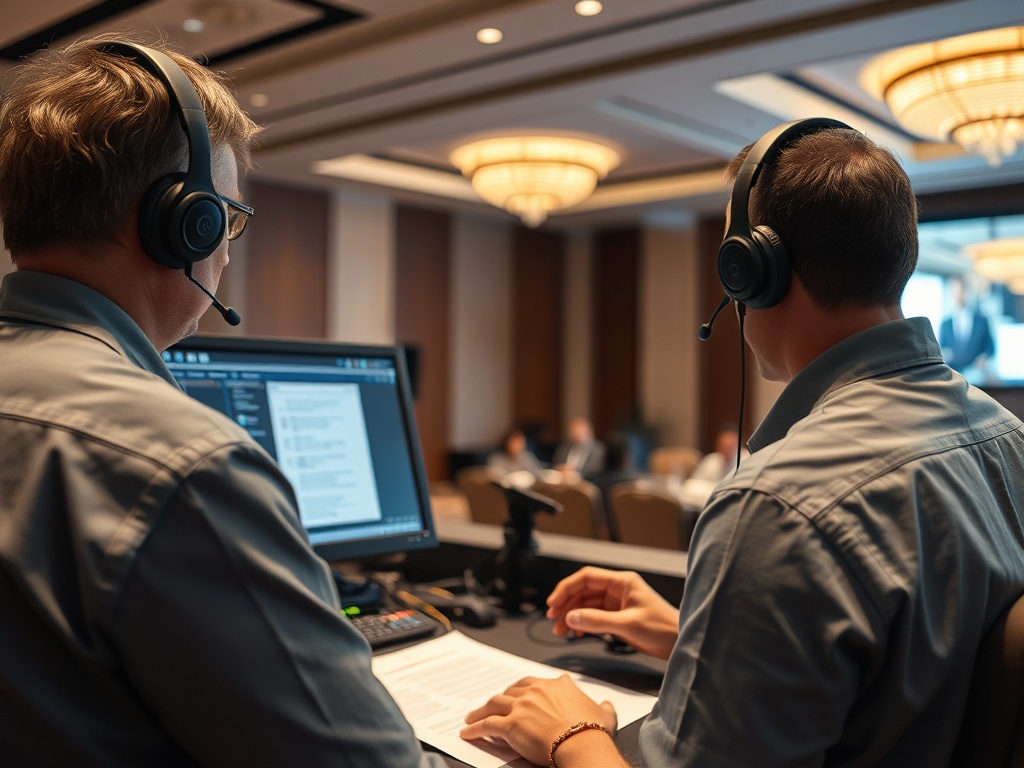
A good venue test also covers presentation aspect ratios, adapter requirements, laptop power, clickers, content playback, and the handoff between speakers. Remote presenters should join through the same workflow they will use during the meeting, not through a simplified rehearsal that bypasses the actual production path.
Problem 3: a single internet connection carries too much risk
Hybrid meetings depend on stable connectivity for remote speakers, audience viewing, platform controls, cloud content, and sometimes event apps. Bandwidth alone does not guarantee resilience if every function depends on the same network path.
Practical fix: identify critical traffic and plan redundancy
Ask the venue how event internet is segmented, supported, and escalated. Determine which systems must stay online if the primary connection degrades. Depending on the event, backup options might include a secondary wired service, separate cellular connectivity for producer controls, local copies of presentation media, or a phone dial-in path for a remote speaker.
Redundancy should be proportionate to the consequence of failure. A small internal workshop may need only local presentation copies and a dial-in backup. A high-profile broadcast may justify far more.
Problem 4: remote attendees receive second-class participation
In-room-only QR codes, un-mic'd audience questions, side conversations, and physical handouts can leave remote attendees without equivalent access. The issue is not that both audiences must have identical experiences. They need a deliberate way to receive the same essential content and contribute appropriately.
Practical fix: build parallel participation paths
Provide direct links in virtual chat when the room displays a QR code. Repeat audience questions into a microphone before answers begin. Assign a moderator to watch remote questions and surface them at planned points. If the event includes networking, specify which portions are designed for cross-audience interaction and which are intentionally separate.
Similar coordination problems appear when guest information is split across systems. A meeting team working across registration, CRM, rooming lists, and event apps can benefit from the same source-of-truth discipline used to address fragmented guest data.
Problem 5: the run of show has no failure mode
A schedule may specify who speaks next without explaining what happens if the speaker cannot connect, a deck will not load, or a room change delays setup.
Practical fix: add recovery cues to the run of show
For each high-risk segment, define the fallback: moderator continues, backup speaker joins, preloaded video plays, session pauses for a break, or the program moves to the next agenda item. Keep local copies of critical media. Give presenters a direct support channel that is separate from the attendee help channel.
Hotel teams should also distinguish technology failures from capacity problems. If slow support is caused by limited personnel rather than equipment, the operational response may be closer to resolving staffing gaps and service bottlenecks than replacing hardware.
Hybrid meeting recovery checklist
- Name the owners for AV, platform control, remote speakers, captions, and attendee support.
- Rehearse in the actual room with the actual platform and signal path.
- Test what remote attendees hear, not only what the room hears.
- Store critical presentations and videos locally as well as in the cloud.
- Confirm backup internet or alternate connection methods for critical roles.
- Give remote attendees direct links for anything shown only as a room QR code.
- Mic or repeat in-room questions before answering them.
- Document the escalation path with phone numbers and decision authority.
- Add fallback cues to the run of show for missing speakers, failed media, and room delays.
- If travel conditions threaten speaker arrivals, apply a separate plan for weather disruptions and transfer delays.
Design the recovery plan before doors open
A hybrid meeting becomes easier to operate when every critical function has an owner, a test, and a fallback. That preparation also improves the normal experience because teams spend less time debating responsibilities and more time supporting participants.
Before signing off on a hotel or venue plan, ask to review the technical scope, internet design, staffing responsibilities, rehearsal access, and escalation process. The best logistics plan is one the team can actually execute when the schedule is under pressure.